We had a customer come in recently with a logo that was one long horizontal line of text. Clean design, looked great on a business card. When we sized it to fit the standard chest print area on a shirt, it shrank down to something you needed to squint to read.
He caught it before we printed anything and fixed the artwork. But that kind of thing happens more than you might think, and most of the time people do not realize it until the shirts are already done.
If you are getting ready to order custom apparel in Ocala or anywhere in Marion County, here is what to know about logo sizing before your order goes to print.
Why Logo Sizing on Apparel Is Different Than Everything Else
A logo that looks perfect on a screen, a business card, or a sign does not automatically translate to a shirt. Apparel has specific placement zones and the shape of your logo determines how large it can actually print within those zones.
A wide horizontal logo crammed into a left chest space ends up tiny. A tall stacked logo on a full front print can look oversized and awkward. The shape of your artwork matters just as much as the size.
Standard Logo Placement Zones and What Fits
Left Chest
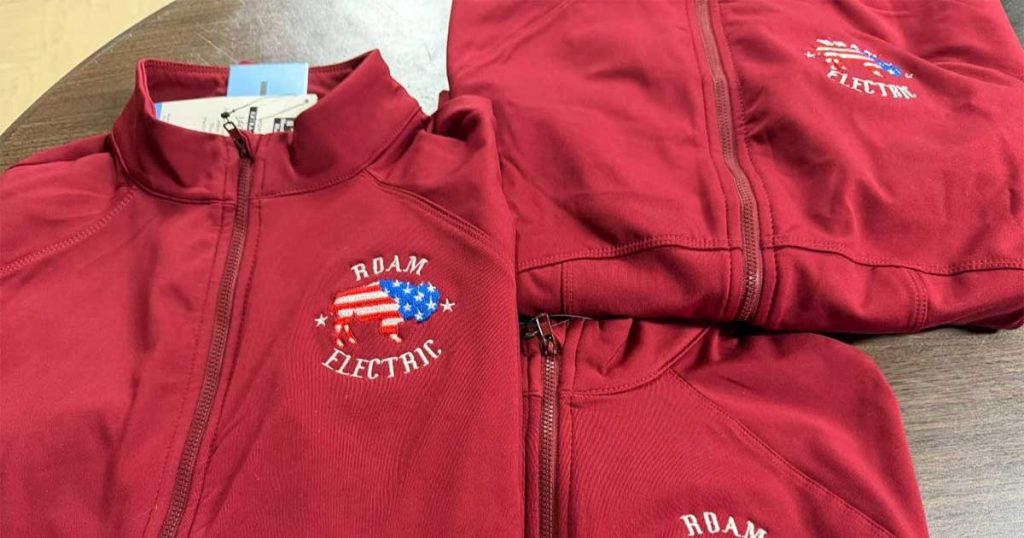
This is the most common placement for workwear, polos, and professional shirts. The printable area is roughly 3.5 to 4 inches wide.
A square or stacked logo works well here. A wide horizontal logo does not. If your logo is wider than it is tall, sizing it to fit the chest width means the height shrinks down dramatically and the text becomes hard to read.
Full Front Center
This is the go-to for t-shirts, event shirts, and spirit wear. The printable area is typically 10 to 14 inches wide, which gives wide logos a lot more room to breathe.
If your logo is horizontal, full front is usually where it looks best. You get the width you need without sacrificing readability.
Back of the Shirt
The back gives you the most space to work with, usually 10 to 14 inches wide and up to 15 inches tall depending on the shirt size. This works well for wide logos, full designs, or layouts that include additional text like a tagline, phone number, or list of services.
A lot of workwear and event shirts combine a small left chest logo on the front with a larger, more detailed design on the back.
Sleeve
Sleeves are popular for secondary logos, names, or small details. The usable area is narrow, typically 2 to 3 inches wide, so only simple logos or short text works here. A detailed or wide logo on a sleeve will either be too small to read or wrap awkwardly around the curve of the arm.
The Problem With Wide Horizontal Logos
This comes up constantly. A business name in a single line of text is one of the most common logo formats out there, and it is also one of the hardest to work with on apparel.
Here is why. Say your logo is 8 inches wide and 1 inch tall. If you size it to fit a 3.5 inch left chest space, the height drops to about half an inch. At that size, the text is nearly unreadable, especially from more than a few feet away.
There are a few ways to fix this:
- Reformat the logo for apparel. Stack the text on two lines instead of one. Add a graphic element or icon above or below the text. This gives the logo more height and makes it readable at a smaller width.
- Change the placement. Move to a full front or full back print where the logo has room to stay wide without shrinking down.
- Use a simplified version. Some brands create a secondary icon-only or abbreviated version of their logo specifically for smaller print areas.
None of these options require starting your logo from scratch. A small artwork adjustment is usually all it takes.
What to Send Us Before You Order
The best thing you can do before placing a custom apparel order is send your logo over early so we can take a look at how it will work for the placement you have in mind.
Here is what helps:
- A vector file (AI, EPS, or PDF) if you have one. Vector files can be scaled to any size without losing quality.
- If you only have a PNG or JPG, send it anyway. We will let you know if the resolution is usable or if we need to make adjustments.
- Tell us where you want the logo placed and what style of shirt you are ordering. That context helps us flag any sizing issues before production starts.
We would rather catch a problem on the front end than hand you a box of shirts you are not happy with.
A Quick Reference: Logo Shape vs. Best Placement
Wide horizontal logo: Full front, full back, or reformatted for left chest
Square or stacked logo: Left chest, full front, or full back
Icon or symbol only: Left chest, sleeve, or as part of a larger back design
Tall vertical logo: Full front or full back with plenty of room on the sides
We Will Tell You Before There Is a Problem
Part of working with a local shop instead of uploading a file to a website and hoping for the best is that you get a real person looking at your artwork before anything gets printed or stitched.
At Crafty Cristy in Belleview, FL, we review every order and flag anything that looks like it will not translate well to the garment or placement you chose. If something needs to be adjusted, we tell you before we touch a single shirt.
We handle screen printing, custom embroidery, HTV and vinyl decals, and sublimation for businesses, teams, and organizations across Ocala and Marion County. You can see examples of finished work in our work gallery.
Ready to get started on your order? Contact Us.
Frequently Asked Questions
Can you reformat my logo for apparel?
In many cases yes. If your logo needs to be adjusted for a specific placement, let us know and we can talk through what options make sense for your artwork.
What size should my logo be for a left chest print?
A good starting point is 3.5 to 4 inches wide. If your logo is horizontal and wide, we may recommend a different placement or a reformatted version to keep it readable.
What is the best file format to send my logo?
Vector files like AI, EPS, or PDF are ideal because they scale without losing quality. If you only have a PNG or JPG, send it over and we will let you know if it works.
Can I see a proof before you print my shirts?
Yes. We will show you how the artwork will look on the garment before production starts so you can approve it or request changes.
Do you work with businesses outside of Belleview?
We serve businesses throughout Ocala, Marion County, and surrounding areas. Reach out no matter where you are located.